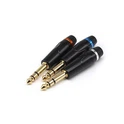

2. Color difference component line connection method. (1) Red, blue and green are component lines, and component lines are just images without sound. The sound is output by 3.5 Open Audio Cable.
(2) Adjust the TV mode to the color difference (component), and connect the 3.5 Open Audio Cable after connecting the color difference (component) line according to the color. Among them, the red and white plugs are inserted into the TV (the yellow plug is not inserted). If there is no sound, it means that the plug is not properly inserted. The AV interfaces of the TV set can be tested one by one until sound appears.
(3) If the TV picture is not displayed, or black and white or flash screen appears, you can press the video output switch key on the playback box to correct the mode between the playback box and the TV. After every press, if the TV still has no image display after 3 seconds, please continue to press this key until there is an image display.
3.HDMI cable :HDMI is the current LCD TV with high-definition interface, video and audio integration, a cable can be video and audio output at the same time. HDMI cable is one of the simplest connections, but also the best. With the popularity of LCD TV, this will gradually become the mainstream of the market. (This line should be brought by oneself)
(1) Set the TV to HDMI mode, and use the HDMI cable to connect the playback box to the TV. Some TVS have three sets of HDMI ports. Which HDMI jack to connect to requires the TV to be moved to the corresponding HUMI(1/2/3) mode.
(2) If the TV picture is not displayed, or black and white or flash screen appears, you can press the video output switch key on the playback box to correct the mode between the playback box and the TV. After every press, if the TV still has no image display after 3 seconds, please continue to press this key until there is an image display.
Feb 20, 2023
Audio cable connection method 2
Send Inquiry
Product Categories
Latest Products