
With the resolution of the video and audio resolution upgrade, in addition to the display resolution and the progress of the playback equipment, the video interface is also changing, the following for you to bring video line connection method introduction;
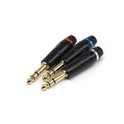
1.AV wire connection method: This method is suitable for 3.5mm High Temperature Audio Cable of old TV. Yellow is the video jack, red and white is the audio jack.
(1) Set the TV mode to AV video (same as connecting DVD player). Today's TV sets typically have three sets of AV video, and when the AV cable is connected to AV1(or Video 1), the TV has to be tuned to the corresponding AV1(or Video 1) mode. AV line is sound and picture in one.
(2) When the smart player box is connected to the power supply, insert the single-head jack of 3.5mm High Temperature Audio Cable into the AV interface of the smart player box, and insert the yellow, red and white jack into the corresponding color interface of the TV.
(3) After confirming that the connection cable has been connected and the TV has been adjusted to the corresponding video mode, the TV picture still does not display or shows black, flash screen or the tone is wrong, you can press the video output switch key on the playback box to correct the mode between the playback box and the TV. If the TV still does not display the image after 3 seconds, please continue to press this key until the image is displayed.
Feb 20, 2023
Audio cable connection method 1
Send Inquiry
Product Categories
Latest Products